Student workshops
Cally helps students read, organize their own writing, break down homework, and build study routines. We practice a few useful tools, with the student doing the thinking.
 ACCESS TOOLS. UNLOCK POTENTIAL.
STUDENT-FOUNDED · EST. 2024
Every student deserves a chance to show what they know. DyslexAI.info helps students with dyslexia and other learning differences find useful AI tools and speaks up for equal access.
Founded by Calista “Cally” Kammerer

Level the playing field.
Reading. Writing. Confidence. Opportunity.OUR MISSION
School can be hard enough. Getting support shouldn’t be.
We raise awareness, share practical learning strategies, and advocate for assistive technology. Our small, hands-on workshops help students, families, and educators use AI while keeping the student’s ideas and effort front and center. We focus on learning differences, welcome any student who needs help, and bring workshops to the organizations students already know.
Our goal is to help more students learn, join in, and see what they can do.
SMALL SESSIONS. PRACTICAL SUPPORT.
Hands-on learning support in local community settings.
Helping students with homework and organization.
A conservative estimate across workshops and ongoing support.
Workshops have included Wheaton, Aspen Hill, and Connie Morella libraries. Attendance varies, and sessions serve small groups. Every student’s progress matters.
“Every child who struggles to read deserves early screening, timely intervention, and affordable reading support and tools. My experience taught me how much it matters to get help early. I also learned how hard it can be for families to find that help. That’s why I started DyslexAI.info. I want to help more students get the support they need to learn with confidence.”
Cally Kammerer, Founder
WHY I STARTED DYSLEXAI.INFO
Cally’s story is why we work for earlier answers, affordable support, and a fair chance to learn.
In kindergarten, my parents noticed that learning to read was harder for me than for other kids. They raised their concerns with my school and were reassured that I would “catch up.” In second grade, they formally requested testing for learning disabilities. The school declined, saying that reading would eventually “click.”
For the next three years, my parents continued asking for help as their concerns grew. Reading never clicked, and my confidence kept falling. I thought I was “dumb.” In fifth grade, my parents sought a private neuropsychological evaluation. It showed that I was reading at a first-grade level and diagnosed me with dyslexia, dysgraphia, and ADHD. Finally, we had answers. I began to understand that I needed a different way to learn.
My school didn’t offer the intensive reading remediation I needed. My family spent $30,000 out of pocket at Lindamood-Bell to help me learn to read. Hours of travel and instruction were stressful and put a huge strain on my family. During the pandemic, the work moved online. I made progress, but I knew many families couldn’t afford that same chance.
When AI became widely available, I saw a chance to help more students get learning support for free or at a much lower cost. No student should have to wait years to be understood, or miss out on reading support because of money.
I founded DyslexAI.info in 2024 to help make that happen. I lead hands-on workshops, share useful tools, and speak with Maryland lawmakers. Early identification matters. So does getting help when you need it.
Read my full founding storyOUR WORK
Helping students today.
Advocating for access tomorrow.
Cally helps students read, organize their own writing, break down homework, and build study routines. We practice a few useful tools, with the student doing the thinking.
We bring workshops to places children already spend time, alongside community events. We protect children’s privacy in the communities we serve. We never post workshop photos that could identify them.
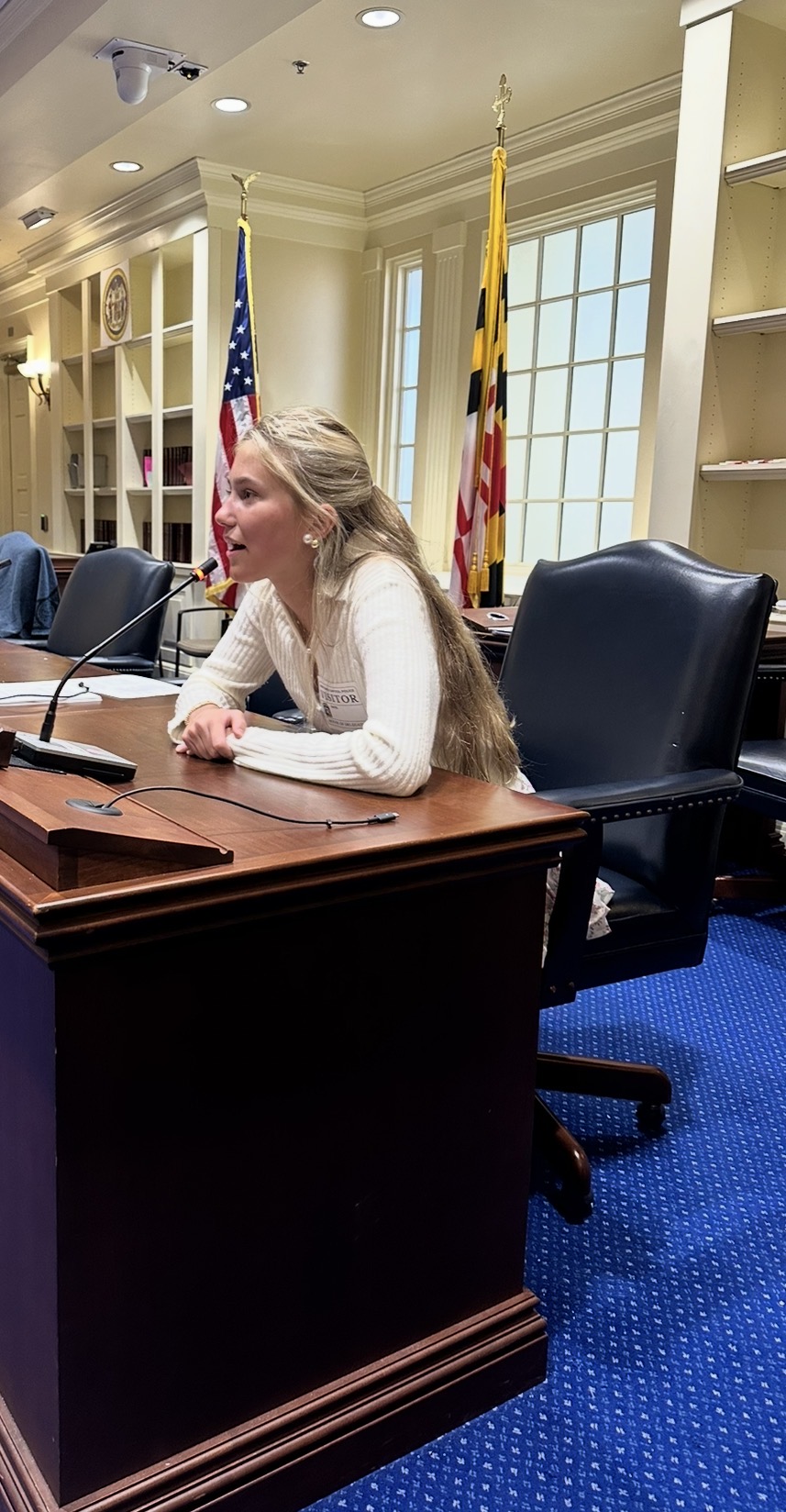
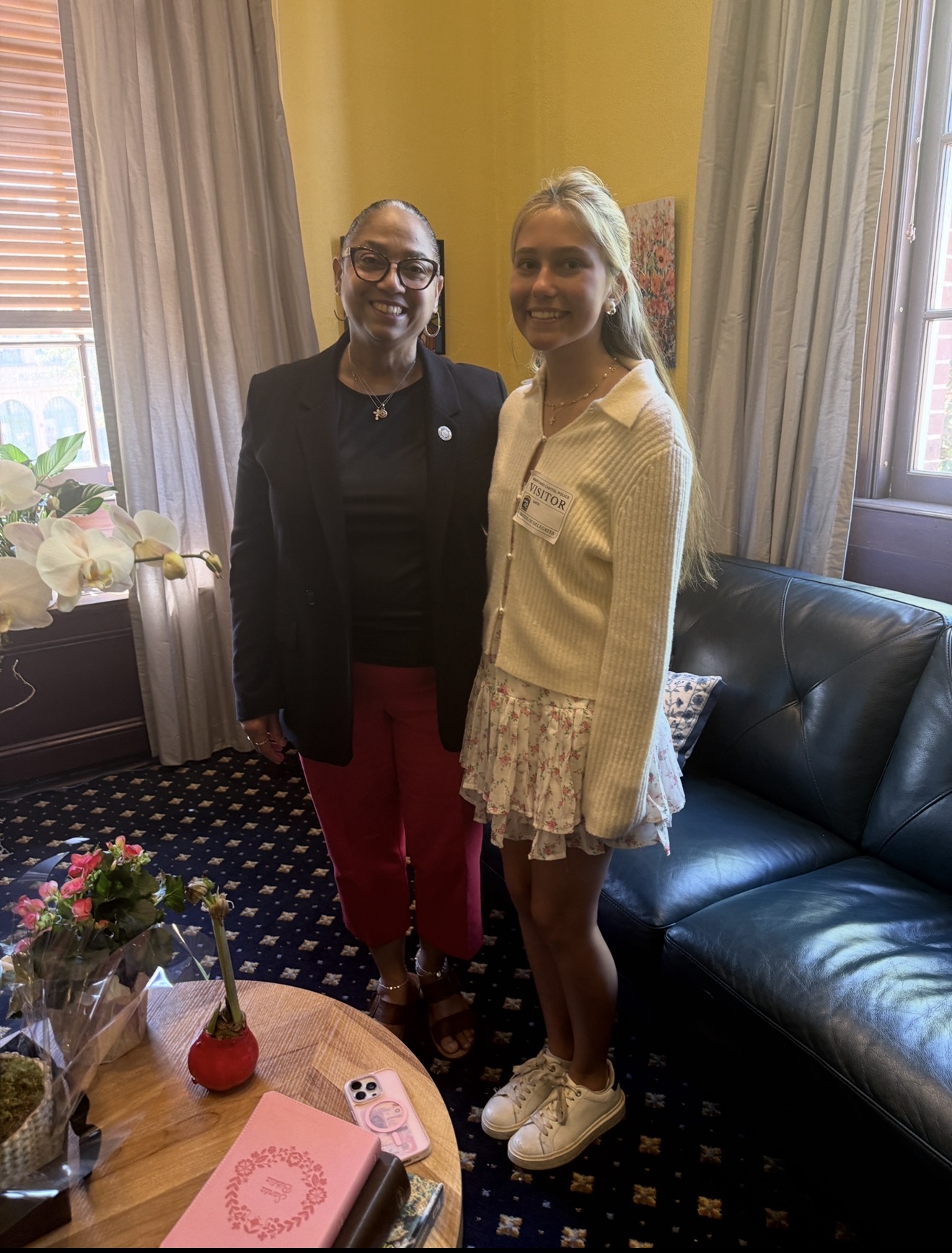
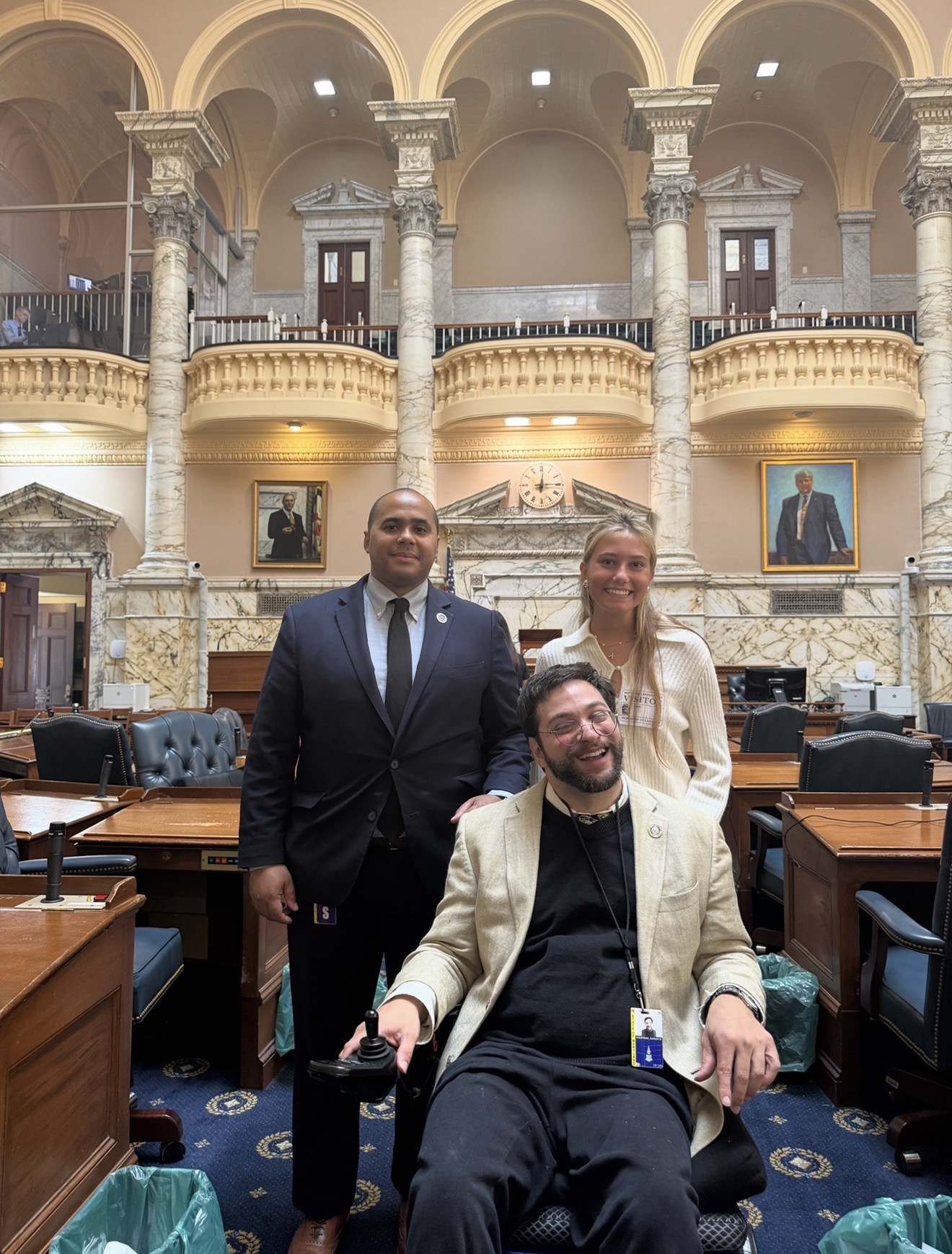
Cally meets with Maryland lawmakers to advocate for AI as assistive technology for students with learning differences, including access through individualized education plans (IEPs).
ADVOCACY IN ANNAPOLIS
Cally advocates for access to AI as assistive technology for students with learning differences, working with Delegate Aaron Kaufman and meeting with Maryland leadership.
A PLACE TO START
Pick a learning goal. Try a tool with a teacher or trusted adult. See what helps.
According to the Yale Center for Dyslexia & Creativity, dyslexia affects approximately 1 in 5 people (20%). Explore information and support from the International Dyslexia Association and Understood.
FREE PHONE TOOLKIT · IPHONE & ANDROID
No computer? Your phone is a place to start. Cally helps students install apps, find the free features, and try a real learning task. Start with one or two tools that fit your needs.
These activities use free features. No paid trial, subscription, or payment card is needed. Skip upgrade offers. Apps may have usage limits and optional paid plans; internet or mobile data may be needed.
Try Study Mode to learn a concept, organize your ideas, or work through math one step at a time. We call that last approach “Chat Math.” It’s a way to use ChatGPT, not a separate app.
Try this. “Help me understand 2x + 3 = 11. Ask me one question at a time. Wait for my answer. If I get stuck, explain it another way. Then give me a similar practice problem without its answer.”
New visual practice. Ask for an interactive explanation of circle area or the Pythagorean theorem. Change an input, notice what changes, and explain why. See Cally’s visual math example.
Free use and uploads have limits; type the problem if you can’t upload a photo. Ages 13+; under 18s need parent or guardian permission. Check the answers. Study Mode can make mistakes.
Get the official ChatGPT app · Study Mode guideScan a practice equation to see the generated steps. Cover the answer, predict the next step, and explain why it works.
Try this. Scan 2x + 3 = 11. Explain the first step in your own words, then solve 2x + 3 = 15 without scanning it.
Steps for equations and expressions are free. Plus tutorials and other premium features are optional; you won’t need them for this activity.
iPhone · Android · Free featuresListen to a short passage while following the words. Pause and explain what it means.
Try this. Use a short sample text. Listen to one paragraph, then tell Cally the main idea and one detail.
The free plan includes basic voices, playback up to 1.5×, and limited file storage. Premium voices, scanning, AI summaries, and chat aren’t included in this lesson. Skip the premium trial.
Get Speechify for your phone · Check free featuresKeep classes, homework, and exams in one place. We use the basic planner for this lesson; ongoing AI coaching isn’t needed.
Try this. Add one homework task, its due date, and a reminder. Choose the first small action you will take, then mark the task complete when finished.
The free plan lets you add up to five homework or revision tasks at a time. Unlimited tasks and ongoing Scout AI cost extra. Stay on the free plan; don’t activate MSL+.
Get MyStudyLife for your phone · Free plan detailsWant to review class material? Eligible students can try Google’s study tool on the free standard plan, within its usage limits. Add an approved sample PDF or webpage without private information, ask a question, and check the answer against its source citation. Mobile features include audio overviews and review tools; availability depends on your account and age.
Explore this if it fits your needs. Check the mobile guidance before installing.
Mobile app and download guidance · Free standard planBefore creating accounts, check app age rules and parent or guardian permissions. For younger students, choose age-appropriate apps or built-in phone reading and dictation tools. Students or guardians enter their own passwords. Follow school rules and use sample tasks without names, records, or identifying details.
Free-feature information checked October 3, 2026. Recheck before each workshop because app plans can change.
CALLY’S TOP PICK + MORE TO EXPLORE
My number-one favorite is ChatGPT, especially for “Chat Math.” Here’s why, plus a few more tools to explore. Check each tool’s cost and device requirements to find what fits your family.
My family spent $30,000 on reading remediation after years of missed identification. I know how much the right support can change. I also know many families can’t afford it. That experience is why I’m exploring AI as a way to make learning support more affordable and accessible.
The story behind DyslexAI.infoMy top pick for working through a confusing concept, getting my ideas organized, or practicing math one step at a time. “Chat Math” is what we call using ChatGPT for math support. It isn’t a separate app.
Try this. “Help me understand this math problem. Ask one question at a time, wait for my answer, and give me a hint if I get stuck. Then give me a similar problem to try on my own.”
See the math, too. ChatGPT’s interactive visual explanations let you change numbers and see how a graph, shape, or formula responds. For supported topics, this gives you another way to explore the idea at your own pace.
Try a visual. “Help me understand the area of a circle with an interactive visual. Let me change the radius, then ask me what happens to the area.” Available to logged-in users across plans, including Free, for supported math and science topics.
About interactive math visualsPart of our free Core Four. Follow the setup, age, permission, and usage guidance in the toolkit. Check the steps against class materials; AI can make mistakes.
Try ChatGPT in the free phone toolkitA tutor that guides you with questions instead of simply handing over answers. Short back-and-forth exchanges can make a big task feel more manageable. Take your time, ask for one question at a time, and ask for another explanation whenever you need it.
Cally’s first step is to turn on voice input. Tap the blue microphone in the chat and allow microphone access. Speech-to-text lets you say your answer instead of typing. Use read-aloud, too, to hear replies. For students who find reading or processing under pressure difficult, this can ease the load and make it easier to focus on the idea.
Cost $4/month or $44/year for the U.S. learner/parent plan, plus applicable tax. A parent or guardian must sign up for students under 18. Free teacher tools do not include free student tutoring.
Explore Khanmigo · Voice setupA warm, encouraging reading tutor with phonics practice and games. Its adaptive exercises adjust as a student learns, helping focus practice on the sounds and patterns that need more attention.
Free features two practice sessions per day, according to its App Store listing. More features require Premium. The provider also offers an Ambassador Programme for families who cannot afford Premium.
Phone access iPhone; Android is not yet supported. Check the App Store’s device requirements before installing.
Get Lexy for iPhone · Plans and financial supportHear articles, PDFs, eBooks, and your own text in realistic, expressive voices. Pick a narrator and reading speed that work for you. Optional background soundscapes, like rain, café sounds, or calm instrumental music, can make listening more immersive. Some produced audiobooks also include music and story sound effects.
Try this. Add a short sample passage, choose a voice, and listen to one paragraph. Pause and explain the main idea in your own words. Try a soundscape if you like; keep it off if it makes concentrating harder.
Free features 10 hours of text-to-audio for your uploads every month, with no payment card required to start. Additional listening and other premium features may cost extra; check current plans and soundscape availability in the app.
Phone access iPhone and Android. No computer needed.
Get ElevenReader · Free plan details · Voices and soundscapesWondering whether reading struggles could be dyslexia? Dysolve offers a free pre-screening checklist to help families notice patterns associated with dyslexia and language-based difficulties.
Identifying concerns early can help students get appropriate support sooner. Bring what you notice to your child’s school or a qualified specialist.
Free option the pre-screening checklist. This link is for screening only. A checklist can flag possible risk; it is not a formal evaluation or diagnosis, and the provider does not describe this free checklist as an AI assessment.
Explore free pre-screeningThese tools offer support with tutoring, reading practice, listening, and screening. They complement skilled teaching and appropriate evaluation. Learn why early identification matters from the International Dyslexia Association. Features and prices checked October 3, 2026.
FOR PARENTS, EDUCATORS & COMMUNITY PARTNERS
Help a student find one tool that makes learning easier. Start with a sample task without personal information. Let them do the thinking.
Adjust the pace, offer breaks, and work one-on-one or in a small group. Tools support instruction and accommodations. Protect student identities; don’t upload school records or private information.
FOR STUDENTS
One task. One tool. Try the prompts below with a trusted adult when needed, and follow your school’s rules.
Listen with text-to-speech. Ask for unfamiliar words in plain language, then check your understanding against the original text.
“Explain this word in simple language, give me an example, and then ask me a question to check my understanding.”
Dictate or brainstorm your own ideas. Ask questions to organize them, keeping the writing yours.
“Ask me one question at a time to help me organize my ideas. Do not write my answer for me.”
Break a task into small steps. Explain what you learned, and check AI responses against class materials.
“Help me break this task into small steps. Start with the first step and wait for my response.”
Follow school rules and tool age requirements. Keep names, school records, and private information out of prompts. AI can make mistakes; check its answers. Assistive tools complement skilled teaching and reading instruction.
THE JOURNEY
Cally turns her experience into a mission.
A public home for the mission and her story.
Student education, advocacy, and press coverage.
LET’S CONNECT
For workshop questions, parent resources, community partnerships, or advocacy, connect with us on Instagram.